Smart home automation starts with routines, not gadgets
A smart home should save you time and reduce daily effort. If your setup feels like “more apps, more problems,” it’s usually because devices were added one-by-one without a plan.
At Elite Integration (based in Brackenfell, Cape Town), we start by understanding how you live in your home, then we build automation around simple routines that feel natural.
Step 1: Automate the “daily repeat” moments first
These are the best first wins because you use them every day:
1) Lighting scenes
Instead of turning multiple lights on and off, you use scenes like:
- Morning (soft brightness)
- Evening (warm, comfortable lighting)
- Movie (dim + accent lighting)
- Away (randomised lights for presence)
2) Entrance and arrival
A proper “arrival” automation can:
- turn on hallway lights
- open a gate (if supported)
- disarm/arm selected security modes
- switch on outdoor lighting after sunset
3) Security checks without stress
Smart automation can help you:
- confirm doors are locked
- check cameras quickly
- receive meaningful alerts (not constant spam)
4) Wi-Fi reliability (the hidden foundation)
A smart home is only as good as its network. Poor coverage causes:
- delayed device response
- dropouts in streaming and audio zones
- cameras going offline
That’s why Wi-Fi design is part of smart home planning, not an afterthought.
Step 2: Choose the control method that suits your household
Smart homes work best when everyone can use them.
Common control options:
- App control (good for remote access)
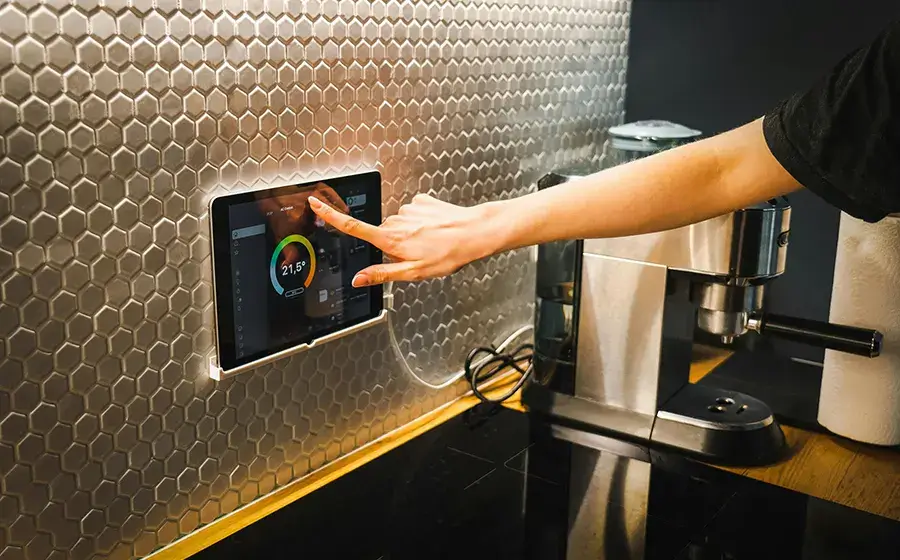
- Wall keypads (fast and easy for families)
- Voice control (useful in kitchens and living rooms)
- Automations (best option when you don’t want to “control” anything)
Most homes need a mix: automation + keypads + app.
Step 3: Build the system so it’s easy to expand later
Some people want to start small and expand. That works well if the foundation is planned correctly.
A clean expansion path usually looks like:
- lighting + Wi-Fi stability
- security integration + access control
- multi-room audio / media room upgrades
- energy control + heating scheduling
Step 4: Avoid these common automation mistakes
Buying devices before planning
You end up with incompatible brands or duplicated apps.
Automating everything at once
Too much change, too quickly — families stop using it.
No professional setup
Wrong placement, messy wiring, weak Wi-Fi coverage and unreliable control.
What Elite Integration can do for your home
We handle the full process:
- site survey and planning
- device recommendations that fit your budget
- clean installation and tidy wiring
- setup, testing, and user handover
Want to automate your home properly from day one?
Contact us and we’ll recommend what to automate first based on your layout and routine.